
Amazon Affiliate Pinterest Guide: 7 Steps (2026)
Updated
Policy baseline: Amazon affiliate links on Pinterest (2026 rules) — disclosures, direct vs bridge links, and what gets flagged before you scale pins.
This post is part of the complete Amazon affiliate Pinterest guide.
Authority guide · Updated June 2026
New here? Start with the beginner guide or the 30-day game plan. Scale pins with URL2Pin.
- One primary topic per article—use the series grid at the bottom for related reads.
- Verify Amazon Associates and Pinterest rules in official help centers before scaling.
Written by Aristomenis
Most Amazon affiliates take 3–6 months to see $50+/month from Pinterest. Here is the system that gets there in 30 days. Amazon affiliate income from Pinterest is one of the fastest-growing channels for creators, but most beginners fail because they create pins the wrong way or publish inconsistently. When you are ready to batch creatives, paste a URL and generate Pinterest pins in minutes instead of designing each one in Canva. Score products first with the free Amazon pin worth checker so you are not pinning low-fit SKUs.
URL2Pin users have uploaded 33,787 pins; 500+ creators rely on it to stay consistent. This guide walks through exactly how successful Amazon affiliates on Pinterest make money: the right pin formats, how many you need, when to link direct vs to a blog, and the workflow that scales without burnout.
You do not need Canva. You do not need a designer. You need a system. Here is the step-by-step path: choose your link strategy → research keywords → score the product → create pin angles → batch with URL2Pin → publish and scale.
Skip the 3-hour pin design part. Use URL2Pin to turn one product URL into 10 ready-to-post pins in 3 minutes.
Generate 10 pins from your first Amazon productRunning multiple products? Plan for volume.
If you promote products across several niches (kitchen, home, gifts — or Amazon plus Etsy and Walmart), one pin per product will not scale. Affiliates shipping 20+ pins a week across many product URLs use the higher tiers to avoid monthly pin limits. Start free, then compare plans once you know your weekly volume.
Compare plans for high-volume affiliates →How the money flow works (before tactics)
Think of every sale as a chain. Someone sees your pin. They click. They land on a page that matches what the pin promised. They click your Amazon affiliate links. Amazon tracks the referral. If they buy eligible items within the attribution window, you earn a commission based on the program rules in your region.
Visual
Simple Pinterest affiliate flow
Where beginners get stuck is not the idea. It is execution. One pin per product is rarely enough to learn what works. Pinterest rewards relevance, saves, and consistent publishing. That is why you will see me repeat variation and keywords throughout this post. They are not buzzwords. They are how you turn a trickle of clicks into steady Pinterest traffic.
Step 1: Choose your link strategy
Before you design anything, decide where the pin sends people: straight to Amazon, or to your blog first. Most beginners should default to a blog bridge; direct links can work for obvious, low-consideration products once you are comfortable with compliance.
Option A: Direct to Amazon (faster, a bit riskier)
The direct method means your pin URL goes straight to an Amazon product page using your affiliate tag, or to a short link your program allows. It is the fastest path to a click—but you have less room to build trust, compare options, or disclose clearly. Some audiences click happily; others bounce without context. For more on when each approach wins, see Pinterest to Amazon Affiliate Links: Direct vs Blog Bridge Pages.
When it works best: very specific searches, obvious products, and pins that show exactly what the shopper will see on Amazon. Example: a kitchen gadget with a clear before and after, a book cover with a strong quote, a baby product with a simple problem-solution headline.
Practical checklist for direct pins: use your own photos or assets you have rights to, or clean product-forward compositions that do not mislead. Say what the product is in the title. Mention the use case in the description. Follow Pinterest and Amazon program rules, including disclosures where required. If you are unsure, start with can you use Amazon affiliate links on Pinterest for the compliance checklist, then default to honest language. Programs change, and your account is worth protecting.
Boards matter more than people think. Keep them themed so Pinterest understands context. A board called "Kitchen tools I use" helps a blender pin more than a board called "Random". You can still test ideas on a private board while you learn. When something works, move those pins to public boards that match the keyword theme. Small organizational habits prevent a messy profile that confuses both users and distribution.
If you mirror the same pin to every board, you risk looking spammy. Prefer distinct angles or refresh the creative slightly when you place a pin in a new board. The goal is coverage without duplication that feels lazy. When you batch with a generator, you naturally get different headlines and crops, which makes multi-board placement feel natural instead of copy-paste.
Option B: Blog bridge page (recommended for beginners)
Here the pin links to your website first. Your article does the explaining. Your Amazon affiliate links sit inside helpful content: a roundup, a review, a "best under $50" list, a gift guide, a setup tutorial. This is the beginner-friendly default: more trust, clearer disclosures, better SEO compounding, and room to capture emails if you want. Not sure which path fits your niche? Read direct vs blog bridge pages before you publish your first batch.
A simple article pattern that still works: one clear promise in the title, a fast answer up top, then sections people skim. Use honest pros and cons when you review. If you only praise everything, readers smell it. If you compare two products, explain who should pick which. Link out with clear buttons or text links. Refresh posts when products change. Outdated pins that land on stale pages hurt saves and return visits.
You can also turn each blog post into multiple Pinterest pins automatically, helping you drive consistent traffic without extra design work. Paste the post URL into url2pin, generate angles from subheads and lists, and queue them across a couple of weeks. Your blog stays the source of truth. Pinterest becomes the distribution engine.
For niche framing, read Pinterest for Amazon affiliates and Pinterest for affiliate marketing. Those pages complement this guide with angle ideas and workflow thinking.
Not on Amazon? ClickBank, ShareASale, Impact and the rest
Amazon is the usual starting point, but it is not the only one, and a tracking link from another network is not a dead end. Paste a ClickBank hoplink, a ShareASale or Impact link, or one from CJ, Rakuten, Awin, PartnerStack, FlexOffers, Skimlinks, Refersion, JVZoo or WarriorPlus, and URL2Pin follows the redirect through to the destination product page to read the real title and product photos — then leaves your original affiliate URL as the link on the pin, tracking parameters untouched.
That is the part most tools get wrong. A pin built from a bare tracking URL has no product name and no product photo to work from, because the tracking link is a redirect and not a page. Resolving the destination for the creative while keeping your link as the destination is what lets one paste do both jobs.
The same applies to creator platforms — LTK, ShopMy, Mavely and Benable links all work this way, so the pin points at your creator destination with your tags intact.
On tracking: your network’s own reporting stays the source of truth for clicks and commissions, because the link on the pin is unchanged. Inside URL2Pin you additionally see per-pin impressions, outbound clicks and saves pulled from Pinterest, so you can tell which pin earned the click before your network tells you what the click earned.
Step 2: Research Pinterest keywords
Use the free Pinterest keyword tool to find 10 phrases people actually type before you design pins. Pick one primary keyword per product URL, then map 2–3 supporting long-tails to different pin angles.
Treat Pinterest like search. People type "best ___ for ___", "cheap ___ that works", "gift for ___ who has everything". Place those phrases in the title, text overlay, description, and board names—and match the landing page to the same intent. For the full Amazon-specific method, see Pinterest keyword research for Amazon affiliate content, plus Pinterest SEO for bloggers and how many pins per blog post.
Step 3: Score the product before you design
Before you open Canva, run the SKU through the free Amazon pin worth checker. It saves hours on low-fit products Pinterest users never search for—and tells you whether the listing is worth a full pin batch.
Category matters more than most affiliates expect. When we measured 4,161 published pins, Amazon products earned roughly 3.8× the outbound clicks of Etsy listings but were saved far less often — the full saves-versus-clicks breakdown is here. Practically: Amazon pins have to earn the tap immediately, because they rarely get a second life through saves.
Step 4: Create pins that actually convert
Good pins are not pretty for the sake of pretty. They communicate fast on a phone screen. The title promises something specific. The image supports that promise. The text is readable without squinting. Bad pins hide the point behind fancy fonts, tiny wording, or generic stock scenes that could mean anything.
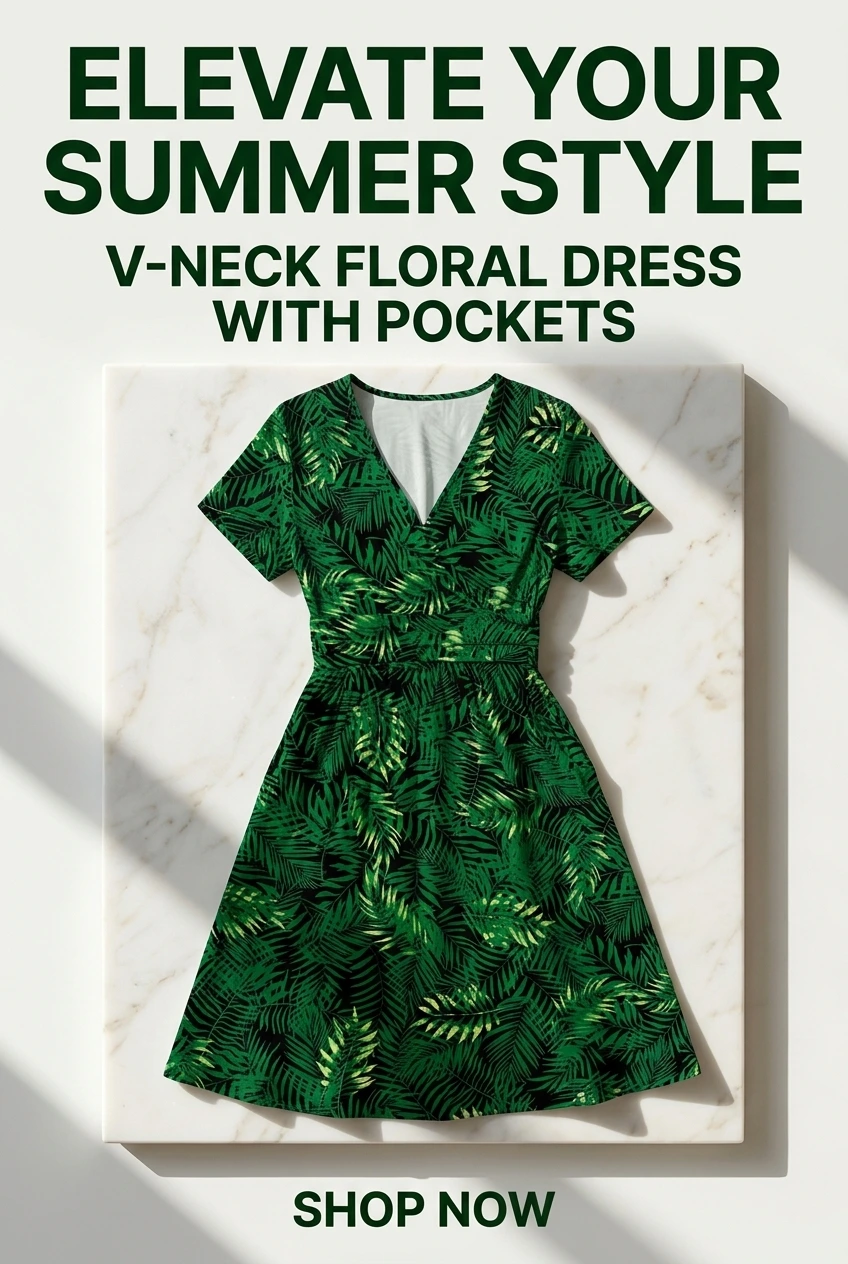
Try multiple pin styles for the same product: a clean product hero, a short list of who it is for, a problem-solution frame, a comparison angle if you have two similar items. You are not spamming. You are matching different search intents the way a smart shop window rotates displays.
Step 5: Batch pins without the Canva grind
Here is where most people get stuck: designing pins. Not the strategy—pins themselves. Each one takes 2–3 minutes in Canva, which means one Amazon product page with 10 Pinterest angles eats up 30 minutes. That kills consistency.
URL2Pin removes that friction: paste a product URL, get 10 pin designs with different hooks, titles, and layouts in about 2 minutes. You still control everything—products, messaging, approvals—just without losing an evening to Canva layers. Roughly 3 hours in Canva → 3 minutes with URL2Pin for a full product batch.
Not ready to batch yet? Use our free tools for affiliates — score products, research keywords, and build tagged links first. Then paste into URL2Pin when you are ready to generate in bulk.
Pinterest pin generator comparison: Canva, AI tools, and DIY
For a detailed breakdown, see how URL2Pin compares to Canva, Buffer, and Later—and which tool is right for your workflow.
| Approach | Time per 10 pins | Best for |
|---|---|---|
| Canva (manual) | 30–60 min | One-off hero pins when you enjoy design |
| Generic AI image tools | 15–30 min + editing | Concept art—not structured pin batches from product URLs |
| Hiring a designer | Days + revisions | Brand campaigns, not weekly affiliate volume |
| URL2Pin | ~2–3 min | Amazon URLs and blog posts → multiple pin angles fast |
Step 6: Publish your first batch and learn
- Publish a small batch to Pinterest and watch which titles earn saves vs clicks
- Keep winners; rewrite weak headlines based on real data—not guesses
- When volume becomes the bottleneck, upgrade for unlimited generation and scheduling
The free tier is enough to prove the workflow: generate 10 pins from your first Amazon product, see them live on Pinterest, then decide if paid makes sense.
Step 7: Scale without burning out
Most people do not fail because Amazon is confusing. They fail because they cannot stay consistent. Pinterest rewards accounts that publish useful pins on a steady rhythm. Not spam. Not identical duplicates. A predictable pace of fresh, related ideas.

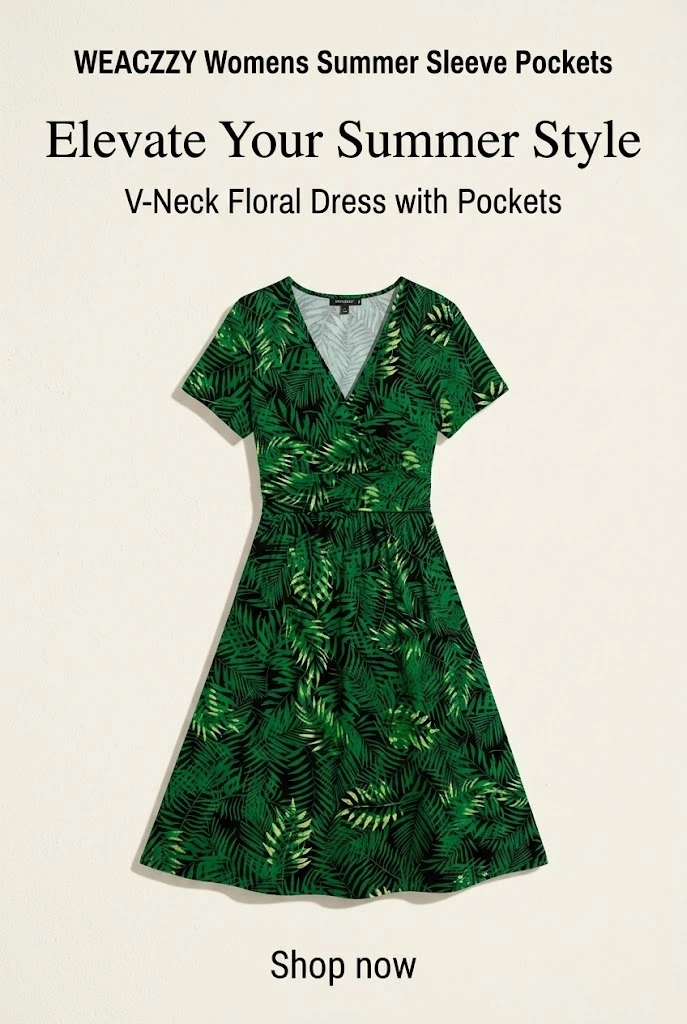

Batch creation: one input, many ready-to-post outputs
Build a lightweight pipeline. Keep a short list of products or posts you believe in. Once a week, generate a batch of pins from that list. Schedule them. Check analytics. Double down on what gets saves. Rewrite titles that get impressions but no clicks. This loop is boring and effective.
Most people fail because they cannot stay consistent. With url2pin, you can go from one product or one blog URL to multiple ready-to-post pins in seconds. The goal is not to remove your judgment. It is to remove friction so your judgment actually ships.
Mistakes that cost you money (and trust)
- Misleading before and after. If the product cannot deliver what the pin implies, you lose saves and credibility.
- Ignoring disclosures. Pinterest affiliate marketing works when your audience trusts you. Clear disclosure is part of that trust.
- One pin and done. You learn almost nothing from a single creative. You need a small portfolio of angles per URL.
- Keyword stuffing. Use natural language. Write for humans first. Pinterest SEO matters, but robotic titles underperform.
- Broken links. Check affiliate URLs after you update posts. A dead link is guaranteed zero commissions.
- Chasing every niche. Pick a lane you can research honestly. Random products you do not understand convert poorly.
Expectations: timeline and mindset
If you are new, expect a learning phase. Early pins might feel slow. That is normal. Pinterest can compound when your catalog of useful pins grows. You are building assets that can drive clicks for months, not just a one-day spike from a viral tweet.
Track a small set of numbers so you do not drown in dashboards. For each money post or product, watch saves, outbound clicks, and assisted traffic in your analytics stack. On Pinterest itself, notice which titles earn impressions versus clicks. A pin with impressions but weak clicks usually needs a clearer benefit in the overlay or the first line of the description. A pin with low impressions often needs better keywords or a more specific promise. You are running cheap experiments, not judging your worth on day three.
Volume per product matters more than most people expect. In our study of 15,412 pins, a link with a single pin got a median of 10 impressions, while the first pin of a set got 18–21 and later ones still got 12–14. The full income picture, with the maths, is in how to make money on Pinterest.
Commissions fluctuate with season, category, and traffic quality. Focus on what you control: clearer promises, better images, more honest reviews, and a steady publishing cadence. Compare your results month to month, not hour to hour.
Also remember compliance. Amazon Associates rules, Pinterest policies, and regional advertising standards exist for a reason. When in doubt, simplify your claim, add disclosure, and keep the user experience clean.
Quick start checklist
- Join the Amazon affiliate program for your country and read the operating agreement
- Confirm compliance: Amazon affiliate links on Pinterest
- Set up your Associates tag before publishing pins
- Pick a niche you can research without faking expertise
- Research keywords with the free Pinterest keyword tool before you design pins
- Score each product with the Amazon pin worth checker so you do not batch low-fit SKUs
- Decide direct-to-Amazon vs blog-first (see direct vs bridge)
- Create 5 to 10 distinct pins per product or post, not one generic graphic
- Write titles that match real searches and match the landing page
- Disclose affiliate relationships clearly
- Schedule pins across weeks, not all in one hour
- Review analytics, keep winners, fix weak titles
If you want to speed this up, start by generating your first pins with url2pin. Bring one product page or one blog URL you actually like. Ship a small batch. Learn from real data.
Related guides in this series
Linking and setup: using Amazon affiliate links on Pinterest, direct pins vs blog bridge pages, and adding your Associates tag.
Formats and seasonal playbooks: product review pin ideas, gift guide strategy, comparison pins, Prime Day planning, and Black Friday planning.
Ops and scaling: keyword research, pins per post, scheduling, analytics, and product URL to pins. New for June 2026: daily workflow, summer essentials, home decor ideas, and disclosure templates. Browse all Amazon affiliate articles. Niche context: product reviews and deal roundups.
Case studies
Closing thought
You do not need design skills or hours of manual work to start. You need products you can stand behind, a simple way to publish often, and the discipline to improve titles based on what Pinterest shows you. Amazon affiliate Pinterest strategy is not a secret club. It is a set of habits. Build the habits, and the traffic has room to grow.
If you want the system in one line: make specific pins, send people to honest pages, use clean Amazon affiliate links, repeat weekly. Everything else is optimization.
See also: general Pinterest guides
Amazon-specific tactics sit on top of Pinterest fundamentals. When saves stall or traffic flatlines, these blogger-focused tutorials help you fix distribution—not just affiliate setup.
Amazon affiliates × Pinterest
Hub + deep dives: compliance, pins per post, seasonal playbooks, and product URL workflows.
- Amazon affiliate articles (full index)
- Pinterest for Amazon affiliates (niche hub)
- Best Pinterest tools for Amazon affiliates (2026)
- Amazon affiliate links on Pinterest (2026 rules)
- Free Amazon pin worth checker
- Free Pinterest affiliate pin generator
- Paste URL → generate Pinterest pins (URL2Pin)
- Pinterest for affiliate marketing
Ready to try it?