
Pinterest Affiliate Pin Generator
Paste an Amazon, Etsy or Shopify product link and get a Pinterest pin built from that product, with the image, title and description written for it. Your affiliate link is what the pin points at, exactly as you paste it, so your tag stays intact.
Works with the affiliate links you already have
Paste the link exactly as your network gave it to you. URL2Pin follows it to read the product, then points the finished pin at your link, so the commission stays yours. Nothing is rewritten and no tag is stripped.
Retailers
- Amazon
- Etsy
- Walmart
- eBay
- Shopify stores
- Printify
Affiliate networks
- ClickBank
- ShareASale
- Awin
- CJ Affiliate
- Impact
- Rakuten
- Skimlinks
- FlexOffers
- Pepperjam
- PartnerStack
- Refersion
- JVZoo
Creator platforms
- LTK (LIKEtoKNOW.it)
- Mavely
- ShopMy
- Benable
- Walmart Creator
Pins work for every link above. The optional product landing page needs a retailer URL, because a creator wrapper hides the product it points to. Paste the retailer link if you want a page as well as pins.
Ready to create the pins?
Paste any product or blog URL and URL2Pin turns it into multiple ready-to-publish Pinterest pins, with images, titles, descriptions, and hashtags included.
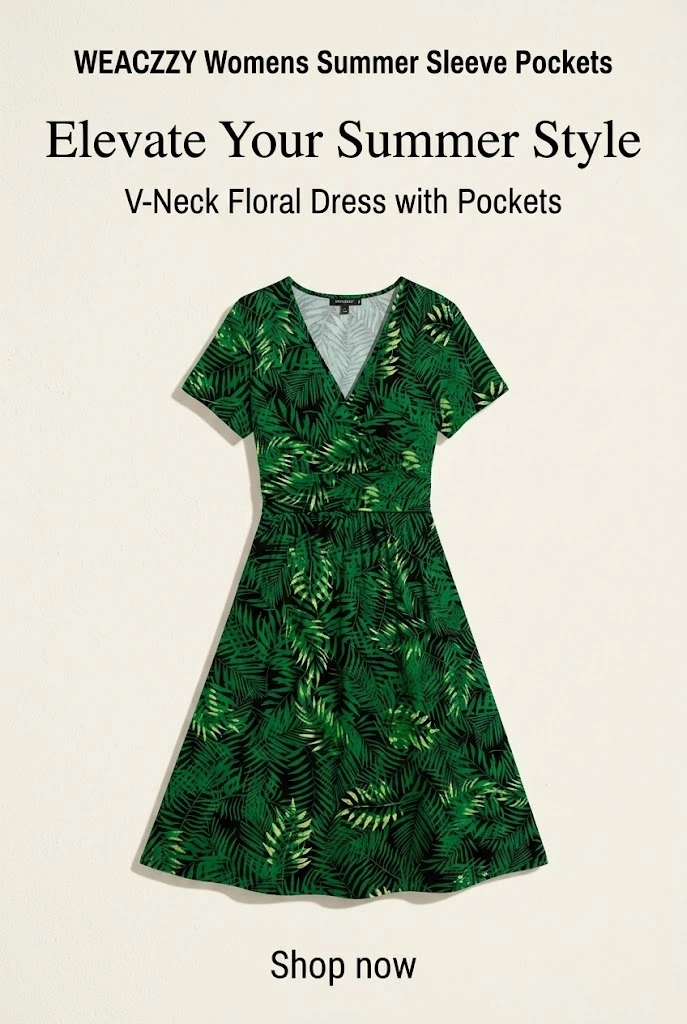
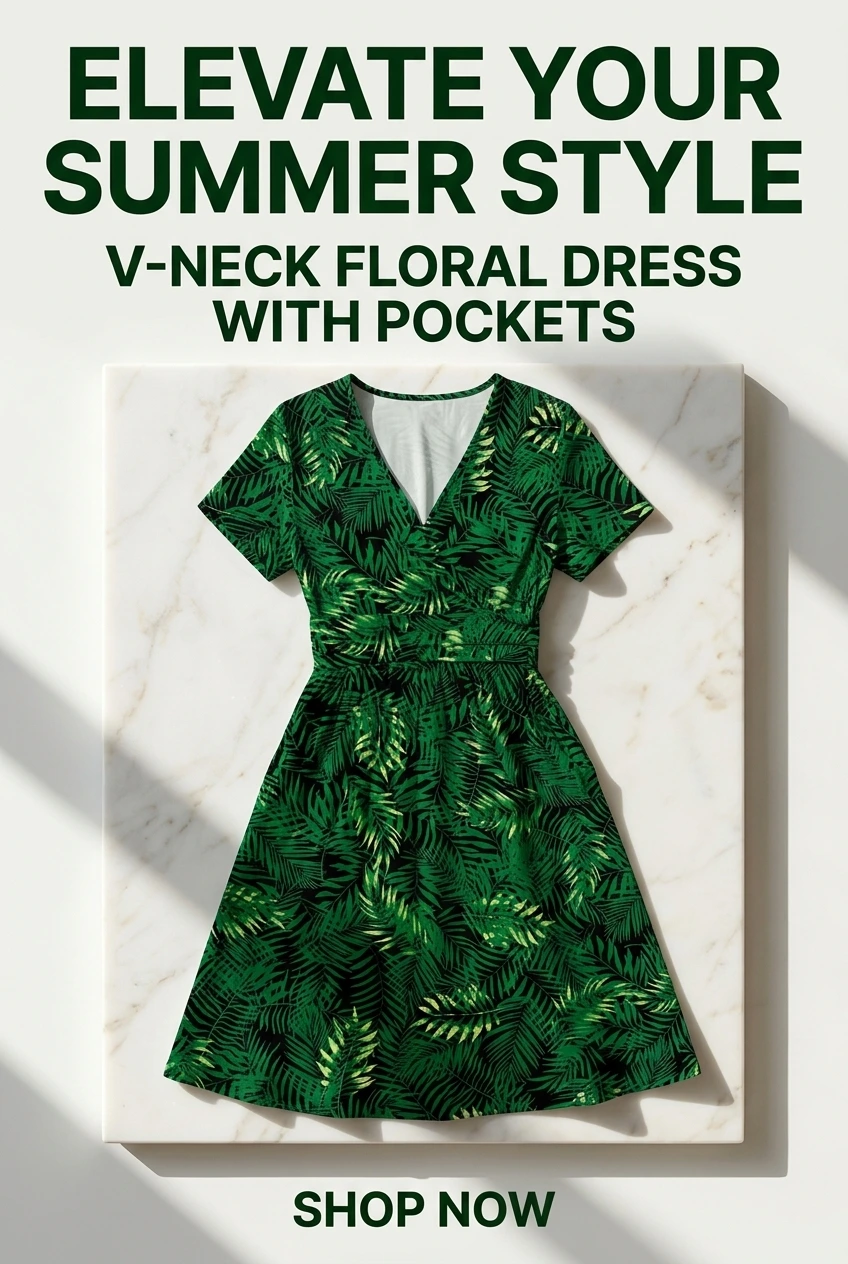
Pins generated in URL2Pin from one product URL


How affiliate pins keep their commission
A Pinterest pin sends people to one URL. Whatever you paste is what the pin points at, character for character, so if your Amazon link already carries `tag=yoursite-20`, the pin carries it too. Nothing here rewrites, shortens or cloaks your link.
The commission is lost in two quiet ways, and neither shows an error. The first is pasting an untagged product URL: the pin works, the sale happens, nobody is credited. Build a clean one with the Amazon affiliate link generator first.
The second catches people who sell internationally: Amazon Associates is a separate programme in every country. A US tag earns nothing on `amazon.co.uk`, and the link still looks perfectly correct. If you pin to more than one marketplace you need a tag for each.
What about amzn.to short links?
They already carry the tag they were created with, locked inside the short code. Adding `?tag=` to one changes nothing; it only looks like it did. Paste the full `amazon.com/dp/...` URL when you want to apply your own tag.
Disclosure, and what Pinterest actually allows
Direct affiliate links are allowed on Pinterest. What is required is that affiliate content is disclosed. The simplest compliant form is `#ad` in the description, and URL2Pin can append a disclosure line to every pin automatically. Full rules: can you use Amazon affiliate links on Pinterest.
A raw store URL sitting at the bottom of the pin image is a separate problem. It reads as Amazon’s pin rather than yours, so the generator asks for a short line of your own, such as a blog or shop name, to print there instead. Generate one with the affiliate disclosure generator.
How many pins per product
Three to five, each from a different angle. Measured across this product’s own posted pins: a product with a single pin reached fewer people in total than the same product covered by several pins, and the extra pins did not cannibalise the first: they added reach rather than splitting it.
Duplicates are the thing to avoid. Five near-identical pins for one item is the pattern Pinterest suppresses; five genuinely different takes (a benefit, a use case, a comparison, a question) is not. That is why each pin here gets its own headline and description rather than the same copy on five backgrounds.
If you are promoting several products at once, a roundup page gives the pin one destination that shows all of them, each with its own buy link.
Pinning an Amazon idea list
If you are in the Amazon Influencer Program, your idea lists are already the thing worth pinning: a curated set of products is exactly what a roundup pin is for. Paste the list URL (it looks like `amazon.com/shop/yourname/list/...`) and every product in it is loaded for you.
A list is not a single product, which is why pasting one used to produce a warning instead of a pin: asked to describe a whole storefront as one item, the generator latched onto whatever was most prominent on the page, in one case an influencer’s own profile photo. Loading the products and letting you choose is the honest version of that.
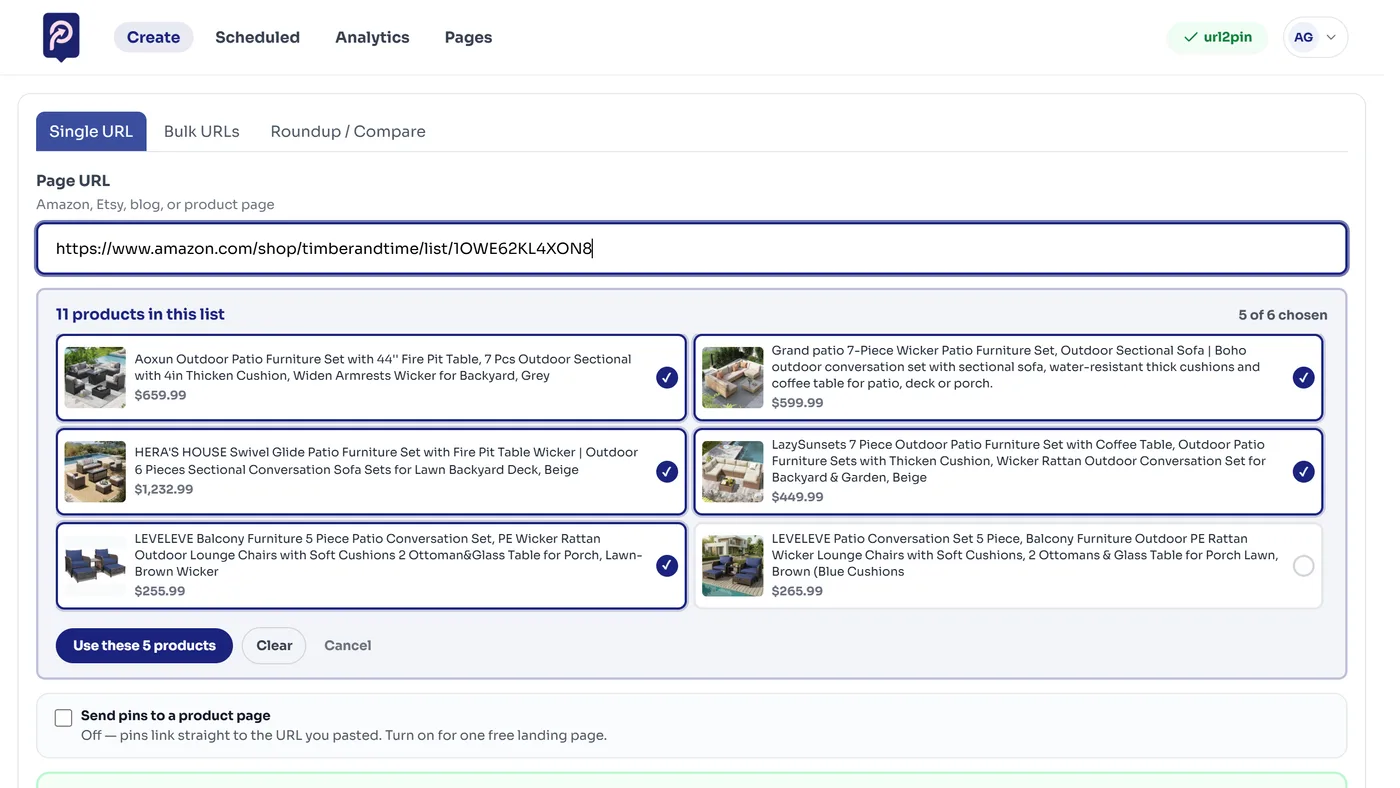
- Every product in the list is shown with its photo and price. Pick the ones you want, up to six for a roundup or two for a comparison.
- Links are rebuilt from the product ASIN and your own saved Amazon tag is applied, so the commission is yours and not whoever curated the list.
- The pin points back at your idea list by default, tagged as well, since that is the page you earn from.
- Reading a list is free and spends no AI pins. Nothing is charged until you generate.
It works from the single-URL box and from the Roundup / Compare tab, whichever you are already in.
FAQ
Do the pins keep my affiliate link?
Yes. The pin links to the URL you paste, exactly as you paste it, so a tagged Amazon link stays tagged. Nothing rewrites or strips your tag.
Is affiliate marketing allowed on Pinterest?
Yes. Pinterest permits direct affiliate links and asks that affiliate content is disclosed. Add #ad or a disclosure line to the description - URL2Pin can append one automatically.
Why do Amazon links need a footer line?
A raw amazon.com or amzn.to URL on the image reads as a store link rather than yours, so the pin asks for a short line of your own - a blog or shop name - to use instead.
Does this only work with Amazon links?
No. Alongside Amazon, Etsy, Walmart and eBay it resolves ClickBank, ShareASale, Awin, CJ, Impact, Rakuten, Skimlinks, FlexOffers, Pepperjam, PartnerStack, Refersion and JVZoo links, plus creator platforms including LTK, Mavely and ShopMy. Paste the link your network gave you; the pin points at that link, so the commission stays yours.
Can I send pins to a landing page instead of straight to Amazon?
Yes. URL2Pin can build a product page listing the item with your affiliate link on the buy button, and point the pins at that instead. It is optional and free. The page needs a retailer URL such as Amazon, Walmart, Etsy or eBay - a creator wrapper like an LTK or Mavely link hides the product, so paste the retailer link if you want a page as well as pins.
How many pins should I make per product?
Three to five, each from a different angle. Several pins for one product reach more people than one pin repeated, and they do not compete with each other the way duplicates do.
Can URL2Pin pin my Amazon products for me every week?
Yes, on paid plans. Autopilot plans a week of pins from your Amazon idea lists and links, new best sellers in your niche and the products that already get clicks, with your tag on every link. It picks a board and a time for each pin, and nothing posts until you approve the week.
Related free tools
Use these together, then turn your best URLs into pins with URL2Pin. Full strategy: Amazon affiliate Pinterest guide.
- Pinterest pin generator
Paste any URL → get a finished pin with the copy written for that page.
- AI affiliate product page generator
Paste a product or affiliate URL → get a shareable bridge page, then pin to it.
- Amazon affiliate link builder
Paste a product URL and your Associates tag to get a clean link for Pinterest.
- Affiliate disclosure generator
Paste-ready FTC + Amazon disclosures for pins, bios, and posts, plus a link compliance checker.
- Pinterest pin size checker
Verify 2:3 ratio and export 1000×1500 px in your browser.
From the blog
Next step: generate pins
Paste a blog or Amazon product URL into URL2Pin and get multiple unique pin images, titles, descriptions, and hashtags in one batch.
Generate pins in URL2Pin →