
Free Pinterest Pin Generator
Paste any link (a product page, a blog post, a recipe) and get a finished Pinterest pin back: the image, the title, the description and the alt text, all written from that page. It works as a pin maker too: change the wording or swap the layout whenever you want. No account, no blank canvas, no template to fill in.
Works with the affiliate links you already have
Paste the link exactly as your network gave it to you. URL2Pin follows it to read the product, then points the finished pin at your link, so the commission stays yours. Nothing is rewritten and no tag is stripped.
Retailers
- Amazon
- Etsy
- Walmart
- eBay
- Shopify stores
- Printify
Affiliate networks
- ClickBank
- ShareASale
- Awin
- CJ Affiliate
- Impact
- Rakuten
- Skimlinks
- FlexOffers
- Pepperjam
- PartnerStack
- Refersion
- JVZoo
Creator platforms
- LTK (LIKEtoKNOW.it)
- Mavely
- ShopMy
- Benable
- Walmart Creator
Pins work for every link above. The optional product landing page needs a retailer URL, because a creator wrapper hides the product it points to. Paste the retailer link if you want a page as well as pins.
Ready to create the pins?
Paste any product or blog URL and URL2Pin turns it into multiple ready-to-publish Pinterest pins, with images, titles, descriptions, and hashtags included.
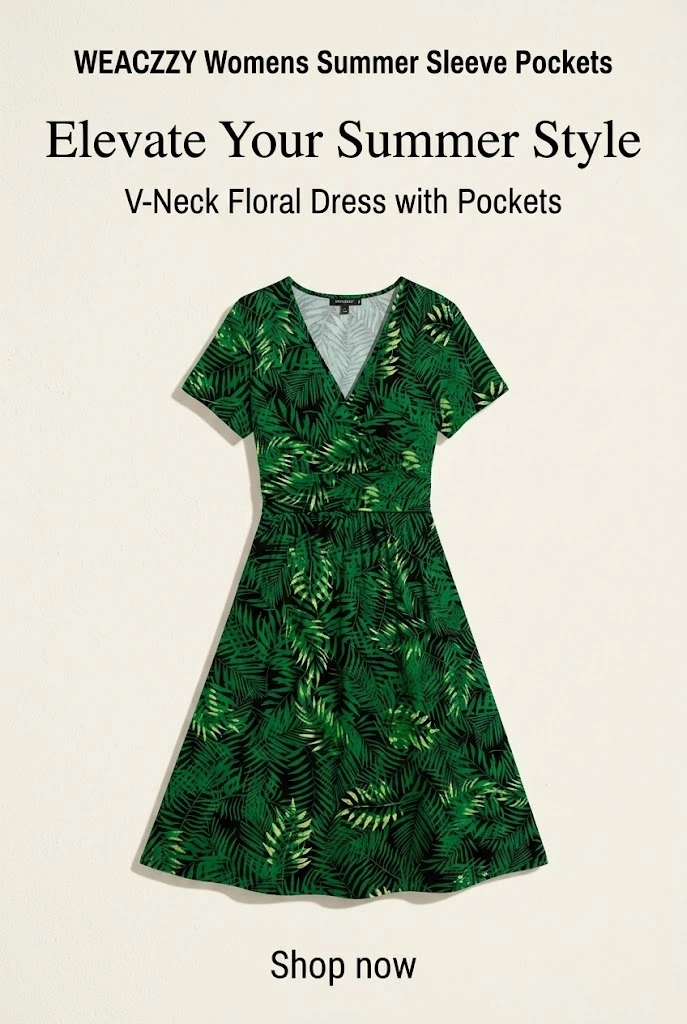
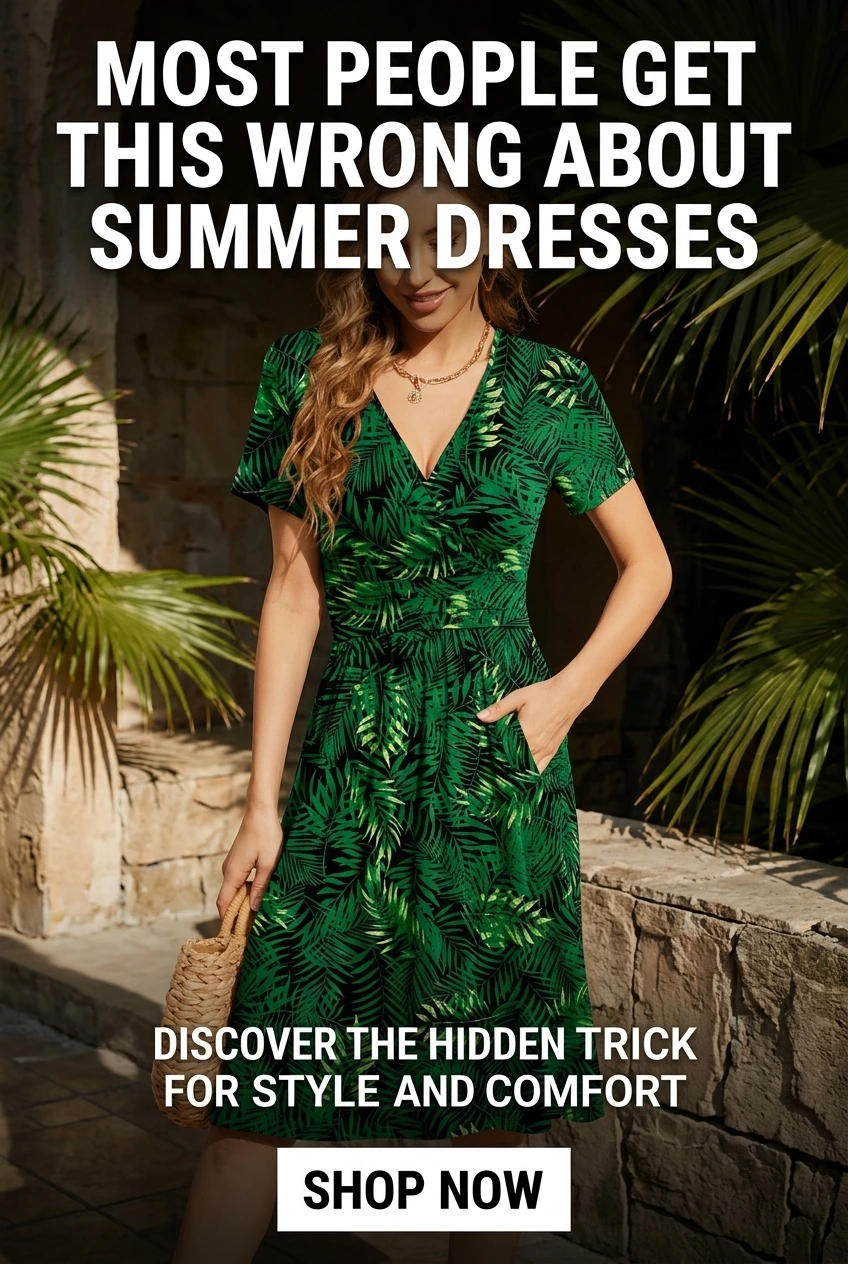
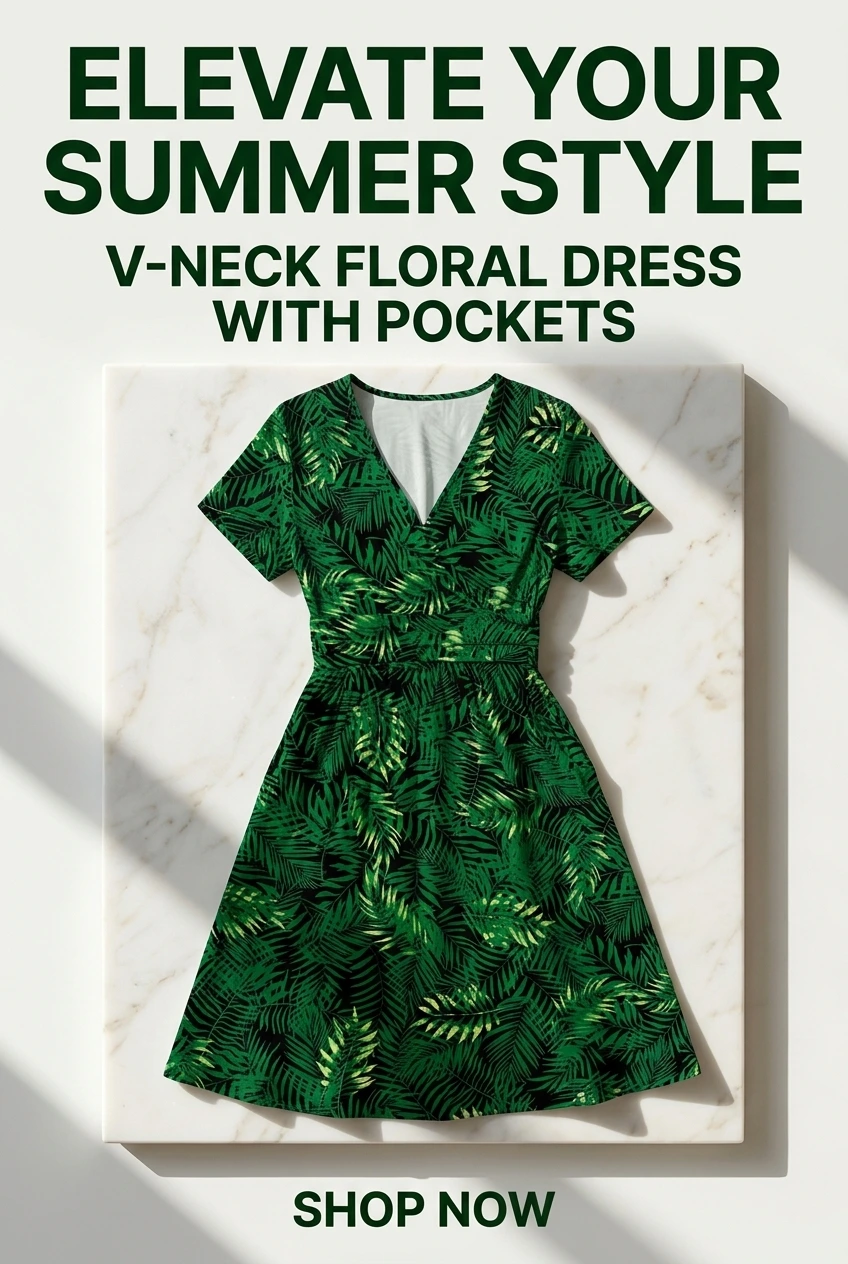
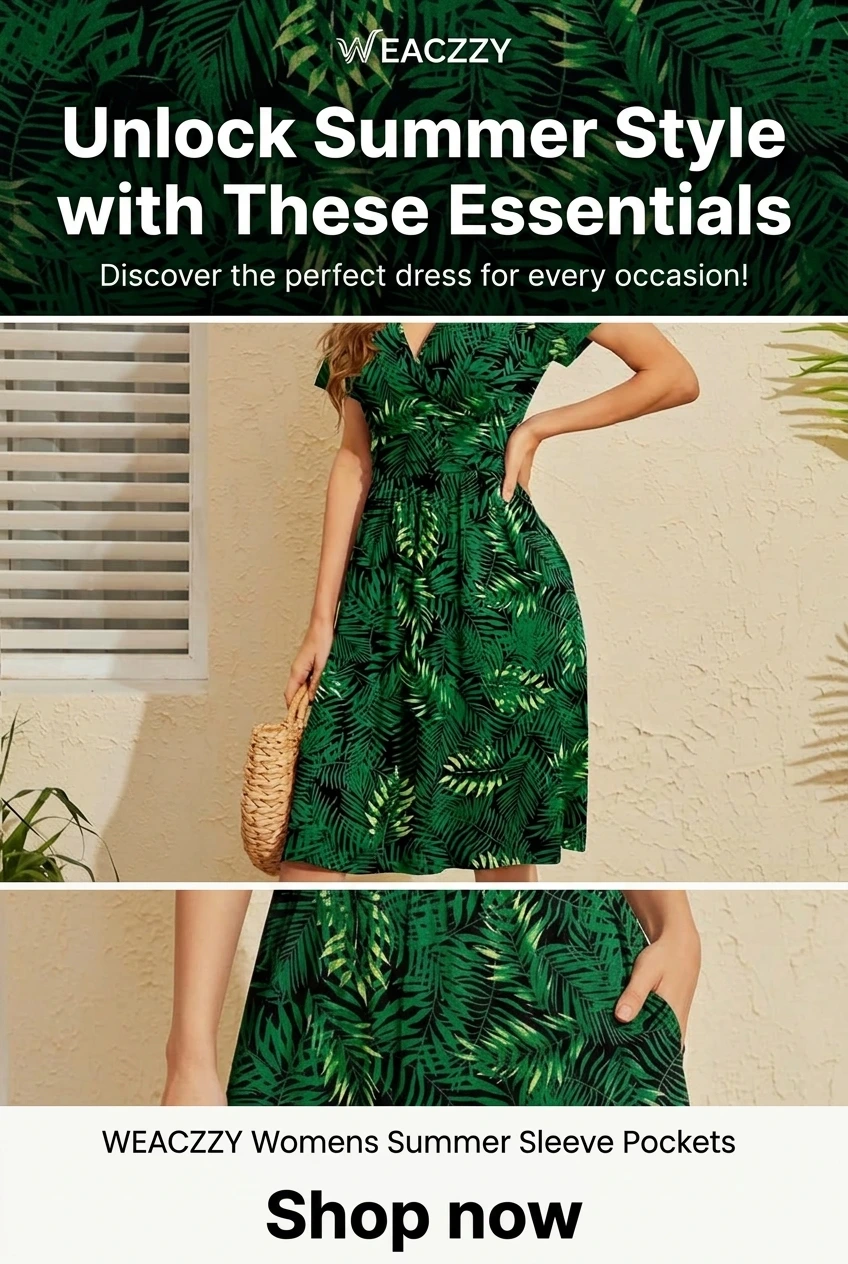
Pins generated in URL2Pin from one product URL
What "generate" means here
Most tools called a pin generator hand you a template gallery. You still choose the layout, supply the image, and write the words; the generation is the resizing. This one reads the page you paste first, then writes the copy and builds the image around what it found.
You get four things per pin: a vertical 2:3 image with text rendered onto it, a pin title, a description, and alt text. All four are written for that specific page, which is why they differ between two products in the same category.
What happens when a page cannot be read
It says so. Some sites block automated reading, and a dead or region-locked product URL returns an error page rather than a product. In those cases nothing is generated. An invented pin about a product that does not exist is worse than no pin, because it looks completely legitimate right up until someone clicks it.
Why several angles beat one good pin
Pinterest decides how far a pin travels partly from how people respond to it early on. You cannot know in advance which framing will land, so the reliable move is to give the same URL several genuinely different pins and let the platform pick.
That only works when the pins actually differ. Reposting one design with a new background is the pattern that gets suppressed. Each pin here is planned around a distinct goal (clicks, saves, curiosity), so the copy and the layout change together rather than the wallpaper.
How often to post
Steady beats bursty. In this product’s own data the best reach per pin came from accounts posting a moderate handful each day; the very largest single-day batches did noticeably worse per pin than smaller ones. Scheduling a batch out across days rather than publishing it all at once is the practical version of that.
Size, layout, and your own photos
Every pin comes out vertical 2:3, 1000x1500, the ratio Pinterest recommends and the one that occupies the most feed space on a phone. Taller pins get cropped; square ones look smaller than everything around them. More on sizing: Pinterest pin size guide.
Layouts cover single-product heroes, before-and-after, question-led designs, and multi-product roundups. One finding worth knowing from this product’s own measurements: layouts that show the real product photo consistently earned more saves than layouts that generate a stylish stand-in object resembling it. If you have the actual product image, use a layout that shows it.
Using your own photography
Upload your own photos and the text is composited over them directly. Nothing about the product is redrawn or reimagined. For handmade and print-on-demand sellers that is usually the right choice, because the item in the photo is the item being sold.
Using it as a pin maker: editing what you get
- Rewrite the headline or subtext and rebuild the image while keeping the same artwork.
- Ask for a different angle on the same product to get a fresh design and fresh copy.
- Edit the title, description and alt text directly before anything is published.
- Set a footer line, such as your blog or shop name, that prints on every pin instead of a raw URL.
Nothing publishes until you say so. Pins can be downloaded as images and uploaded to Pinterest by hand if you would rather not connect an account.
From one pin to a working account
- Paste a URL above and generate one pin, free, with no account.
- If the copy and the image look right, create a free account and generate the full batch for that URL.
- Download the images and upload them yourself, or connect Pinterest through their official login to schedule them.
- Research titles first with the Pinterest keyword research tool, and name your boards with the board generator.
Connecting Pinterest is optional. Generating and downloading pins never requires it. Connecting only adds scheduling and the impressions and saves reporting.
FAQ
Is this Pinterest pin generator really free?
Generating a pin here is free and needs no account. A free account gets you a batch of pins per URL, and scheduling them to Pinterest is a paid feature.
What do I get for one URL?
A vertical 2:3 pin image with text on it, plus a title, description and alt text written from the page itself - not a blank template you fill in.
Do I need a Pinterest account to use it?
No. You can generate pins and download the images without connecting anything. Connecting Pinterest, through their official login, only adds scheduling and stats.
What kinds of URLs work?
Product pages (Amazon, Etsy, Shopify, Walmart, eBay), blog posts, recipes and most public pages. Affiliate links work too - ClickBank, ShareASale, Awin, CJ, Impact, Rakuten, Skimlinks and creator platforms such as LTK, Mavely and ShopMy are followed to the product, and the pin still points at your link. If a site blocks automated reading it will say so rather than invent a pin.
How is this different from Canva?
Canva gives you a blank template and you supply the image and the words. This reads the page first, then writes the copy and builds the image around the actual product.
Can I choose how the pin looks?
Yes. There are layouts for single products, before-and-after, question-led designs and multi-product roundups, and you can regenerate any pin with your own wording.
What size are the pins?
Vertical 2:3 - 1000x1500 - which is the ratio Pinterest recommends and the one that takes up the most space in the feed.
Can I use my own photos?
Yes. Upload your own product photos and the text is composited over them, so nothing about the product is redrawn or invented.
Can I edit the text on the pin?
Yes. Every pin can be rebuilt with your own headline and subtext while keeping the same artwork.
Do I have to design anything myself?
No. Pasting a link is enough - the layout, image and words are all produced for you. Editing is there if you want it, not required.
Related free tools
Use these together, then turn your best URLs into pins with URL2Pin. Full strategy: Amazon affiliate Pinterest guide.
- Pinterest affiliate pin generator
Paste a tagged product link → get a pin that keeps your affiliate tag.
- Pinterest pin size checker
Verify 2:3 ratio and export 1000×1500 px in your browser.
- AI affiliate product page generator
Paste a product or affiliate URL → get a shareable bridge page, then pin to it.
- Pinterest board generator
Board names, descriptions, and keyword ideas for your niche.
- Pinterest font generator
38 copy-and-paste Pinterest font styles for bios, board names, and pin titles.
From the blog
Next step: generate pins
Paste a blog or Amazon product URL into URL2Pin and get multiple unique pin images, titles, descriptions, and hashtags in one batch.
Generate pins in URL2Pin →