
Best Free AI Pinterest Tool 2026 – Bulk URL Mode Included
Updated
I tested 9 AI Pinterest tools in 2026. Most were either too expensive, too slow, or missing bulk URL support. Here's the one I actually use every day - and why it wins.
Comparison Table
Here's how the top AI Pinterest tools stack up in 2026:
| Tool | Price | Bulk URL | Text Editing | Speed | Image Quality |
|---|---|---|---|---|---|
| URL2Pin | Free tier | Up to 20 URLs (Creator plan) | Yes | ~60 sec | Nano Banana 2 |
| Pin Generator | Paid only | No | Limited | Slower | Good |
| BlogToPin | Freemium | 1 URL | Yes | ~2 min | Standard |
| Tailwind AI | Subscription | No | Yes | Varies | Good |
| Others | Mixed | Rare | Mixed | Mixed | Mixed |
Why URL2Pin Wins
- Truly free tier – No credit card required. Generate pins and try the full workflow before upgrading.
- Bulk up to 20 URLs – On the Creator plan and up, paste multiple blog links at once and get pins for all of them in one go.
- Nano Banana 2 image quality – Photorealistic, on-topic images that outperform generic AI outputs.
- Super fast generation – Most pins are ready in under 60 seconds per style.
Who Should Use It
Bloggers who publish regularly and need consistent pin output. Etsy sellers promoting product roundups and how-tos. Affiliates driving traffic from blog posts to offers. Anyone who wants to stop manual pin design and get more content out faster. New to Pinterest? Our guide on getting free traffic without followers breaks down the strategy. And for ranking your pins, see Pinterest SEO for bloggers.
How to Get Started in 2 Minutes
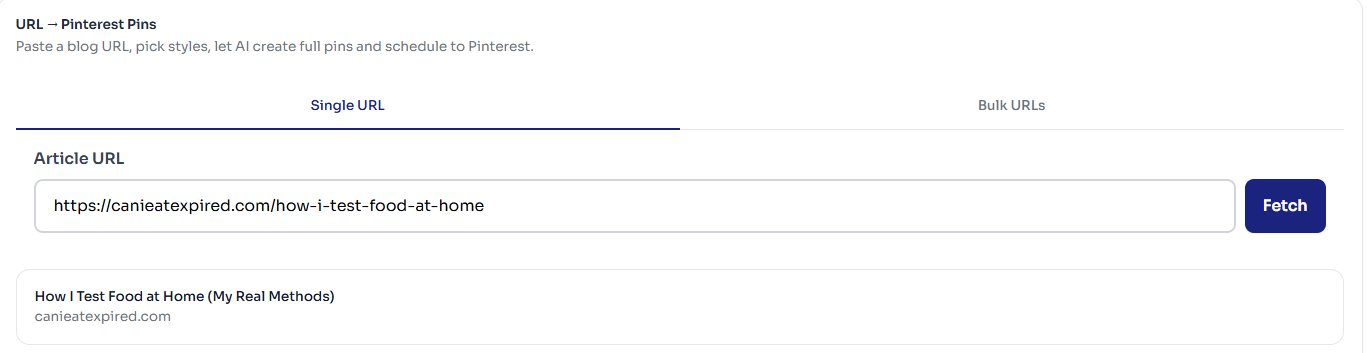
- Go to url2pin.com and open the app.
- Paste your blog URL (or up to 20 in bulk mode on Creator and up).
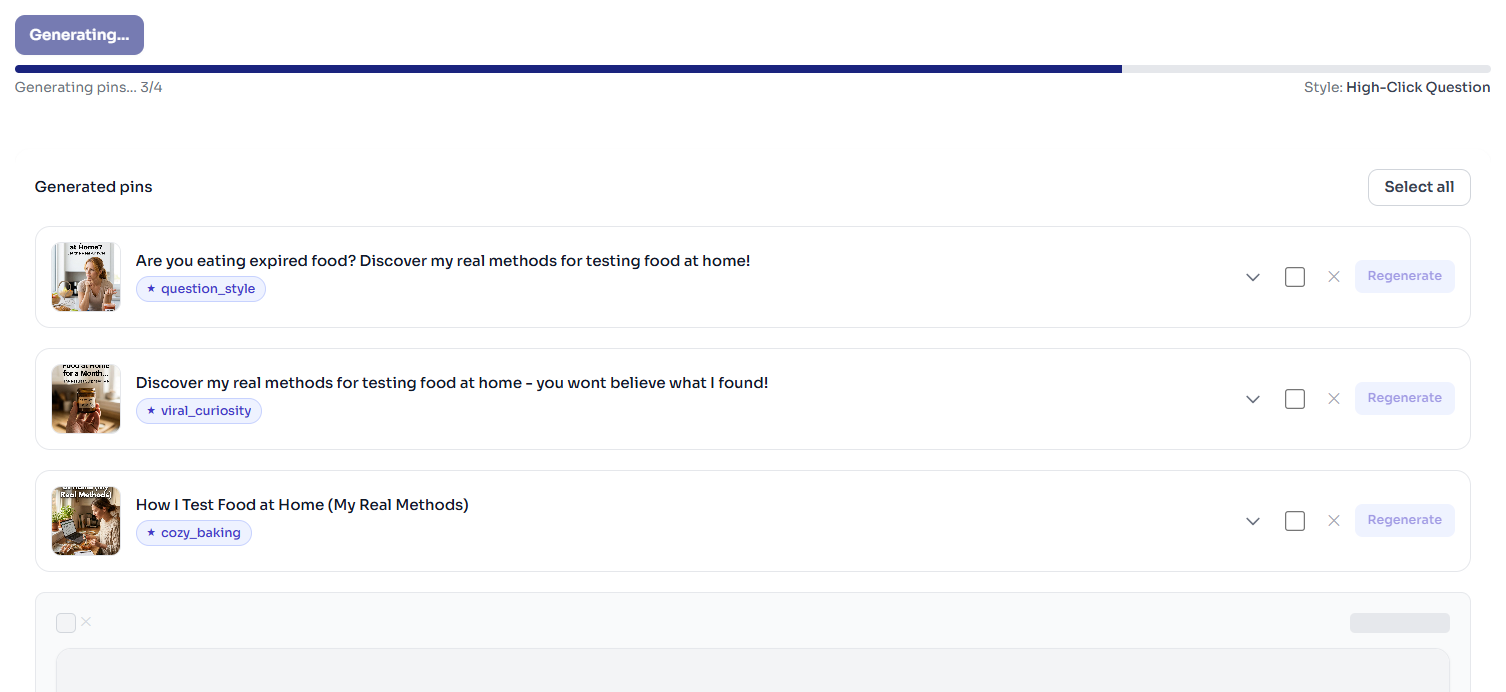
- Choose a style and click Generate.
- Edit any text, then download or schedule to Pinterest.
Final Verdict
After testing 9 tools, URL2Pin is the one I use daily. The free tier is generous, bulk URL mode is a game-changer, and Nano Banana 2 image quality is consistently better than the alternatives. If you're serious about Pinterest traffic without the manual work, it's worth trying.
FAQ
- Is URL2Pin really free?
Yes - there's a free tier that lets you generate and test the full workflow before upgrading. When you outgrow it, you can move to a paid plan for higher pin volumes.
- How does URL2Pin compare to Pin Generator and BlogToPin?
URL2Pin focuses on turning blog URLs into Pinterest pins with AI images and metadata, plus bulk URL mode. For a deep dive into bulk workflows, check our article on creating 50 pins from 5 blog posts.
- Do I need design skills to use URL2Pin?
No. You paste URLs, pick styles, and tweak copy. The AI handles images and layouts, so you can focus on content and strategy.
Ready to try the best free AI Pinterest tool?
Open the URL2Pin appMonetizing with Amazon Associates on Pinterest?
The workflow is the same—multiple pins per URL, keyword-clear titles—but your destination is usually a review or roundup with disclosure, not a bare product link. Start with our Amazon affiliate Pinterest guide, then turn product URLs into pins with URL2Pin.
All Amazon affiliate articles → · Niche hub → · Amazon affiliates FAQ → · Pinterest SEO for affiliates →
Ready to try it?
