
How to Create 50 Pinterest Pins From 5 Blog Posts in Minutes
Updated
If you publish blog posts regularly, you need a system that scales. Creating one or two pins per post manually is a bottleneck. Here's how to create 50 pins from 5 blog posts in minutes - not hours. Once you have them, our Pinterest SEO guide shows how to optimize them to rank. And if you're new to Pinterest, getting traffic without followers is totally possible - here's how.
The Old Painful Method
The old way: Open Canva for each post. Copy the title. Find a stock image. Design a pin. Repeat for 10 styles per post. For 5 posts × 10 pins, that's 50 separate designs. At 5 minutes each, you're looking at over 4 hours of work - and that's if you don't get distracted.
New Method Using URL2Pin
Here's the new workflow:
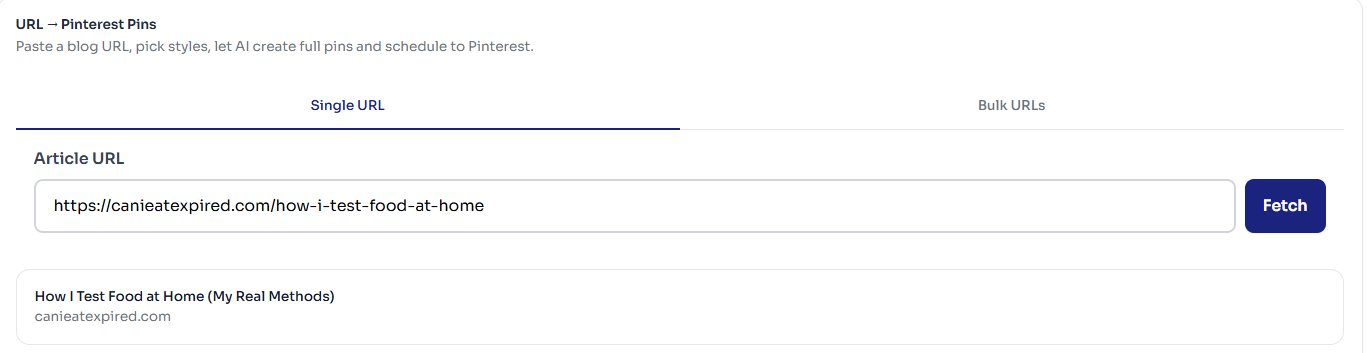
- Paste 5 URLs at once
Open URL2Pin's bulk mode. Paste your 5 blog URLs, one per line. No spreadsheets, no CSV upload.
- Set how many pins per URL
Layouts and angles are planned per URL, so you don't assign them yourself - you choose how many pins each URL should produce. 5 URLs × 10 pins = 50 pins, each one a different angle on its own post.
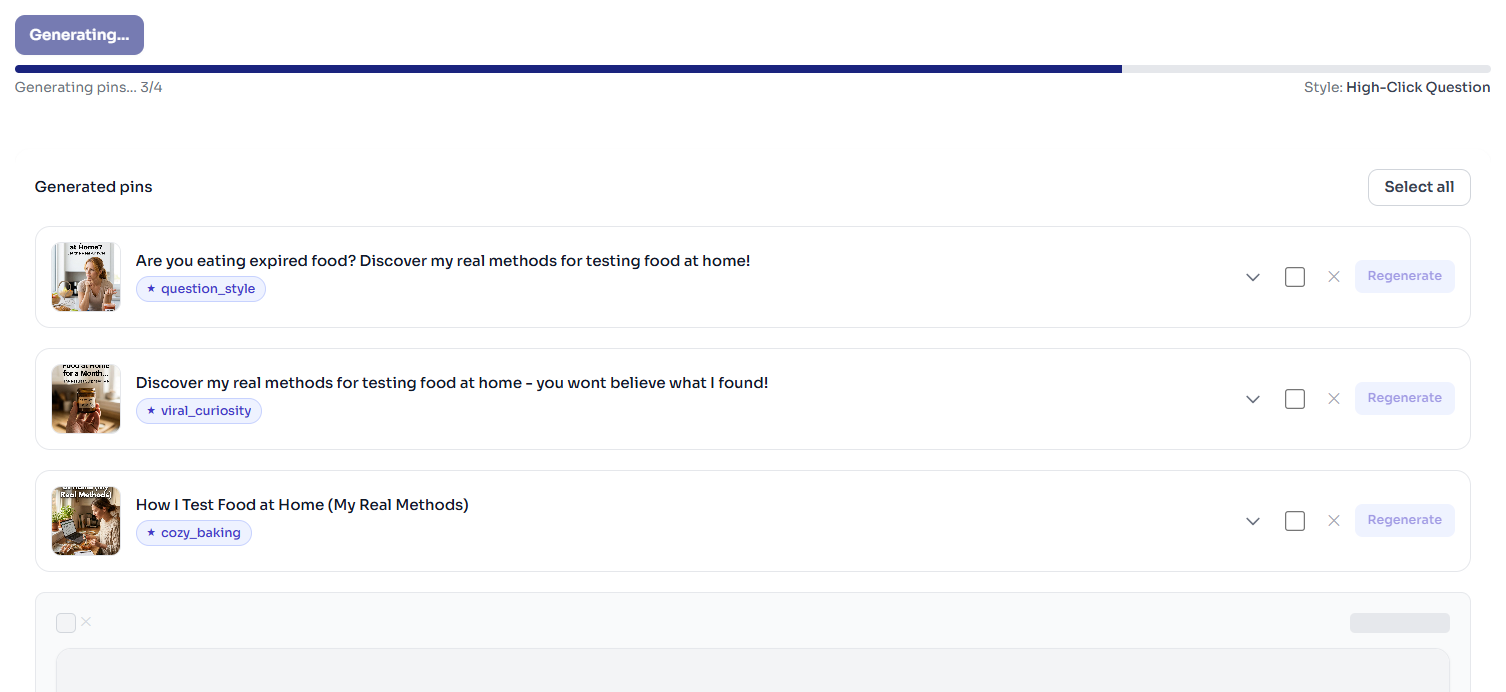
- Generate 50 pins in one go
Click Generate. All pins are created in the background. Grab a coffee - you'll have 50 pins in under 12 minutes.
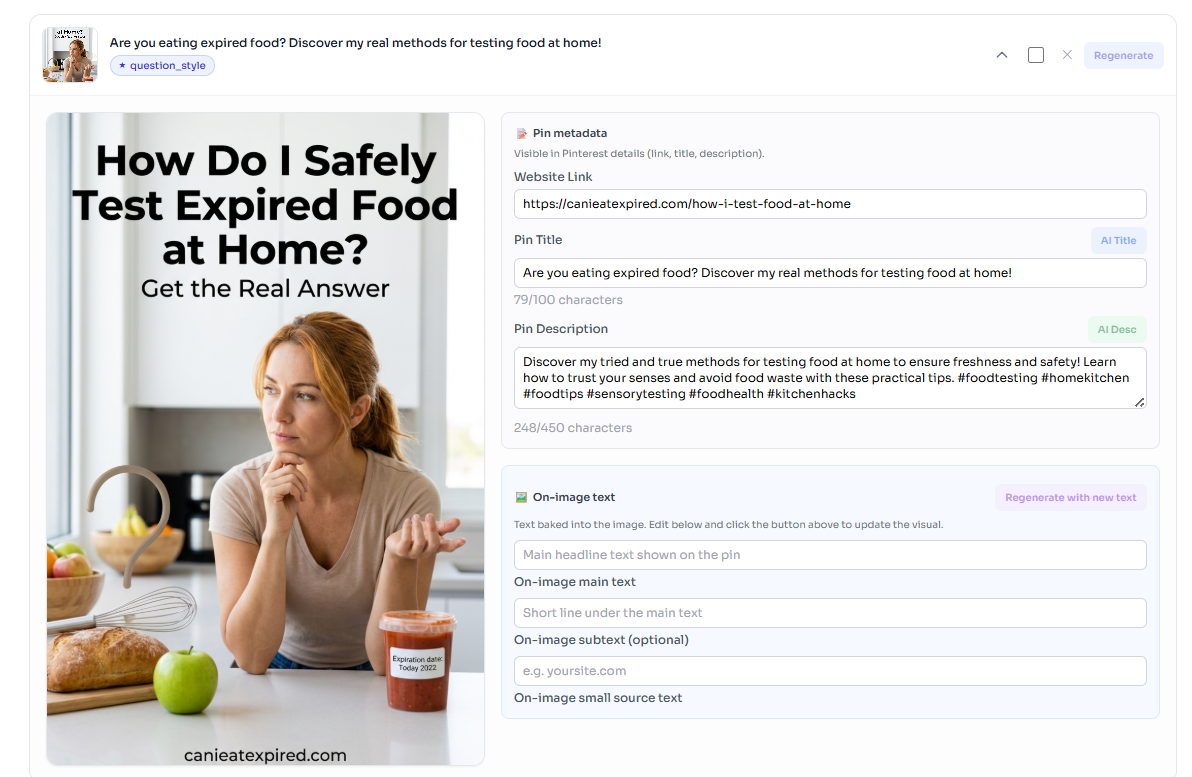
- Edit any text you want
Tweak titles, descriptions, or links on any pin. Regenerate individual pins if needed.
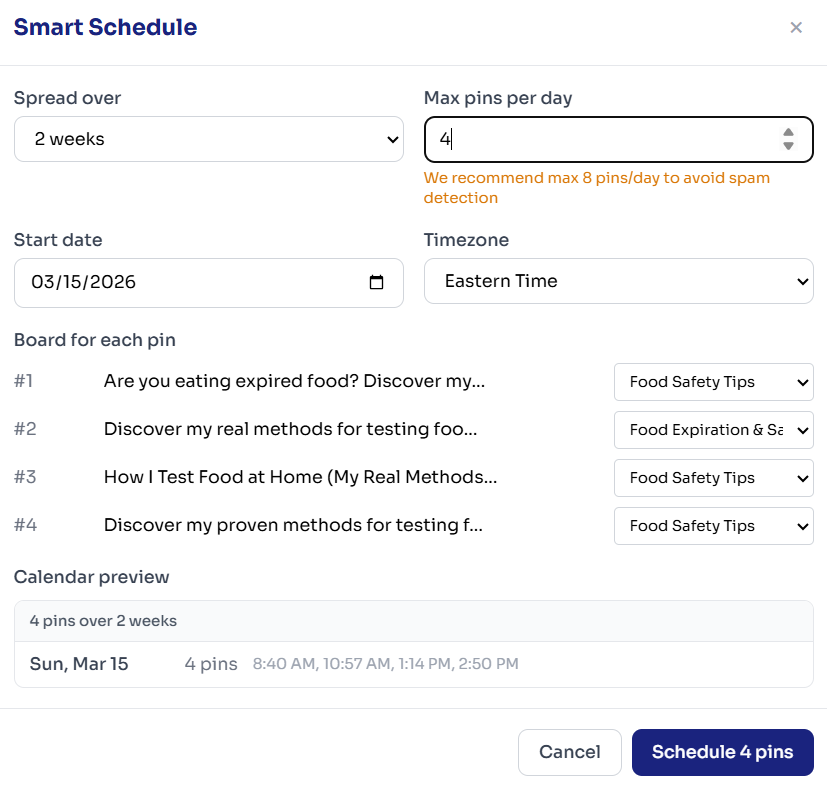
- Download all or schedule them
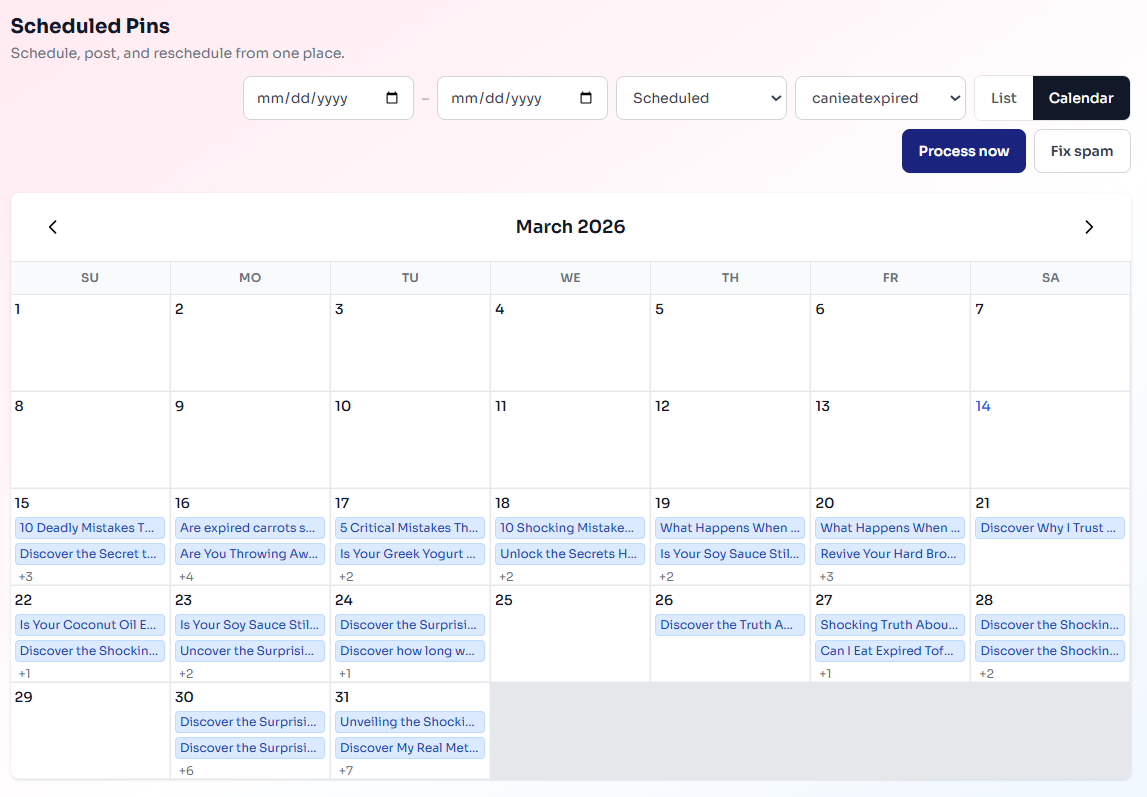
Export all pins as a ZIP, or schedule directly to your Pinterest boards.
Pro Tips
How to get the best results from bulk mode
- Use URLs from posts that are already published (so metadata is accurate).
- Choose 2–3 styles per URL for variety without overwhelming the queue.
- Edit titles and descriptions before scheduling - AI is good, but your voice is better.
Recommended styles for different niches
- Food & recipes: Cozy Baking, Clean Appetizing
- Lifestyle & tips: Minimal Elegant, Viral Curiosity
- How-to & tutorials: Step Cards, Timeline Infographic
How to avoid duplicate-looking pins
Mix styles across URLs. Don't use the same single style for all 5 posts - rotate 2-3 styles so your feed looks varied. Edit headlines to emphasize different angles of the same post.
Time Saved Calculation
Before URL2Pin:
5 posts × 10 pins × ~5 min each ≈ 4+ hours
With URL2Pin bulk mode:
Paste URLs → Select styles → Generate → Light editing ≈ 12 minutes
That's a 95% time reduction. I went from 4 hours to 12 minutes.
FAQ
- How many URLs can I paste into bulk mode?
Up to 20 per run, on the Creator plan and up. In this example we use 5 URLs, and you can start with fewer while you test. The key is that URL2Pin handles multiple posts and styles in one go so you don't get stuck in Canva for hours.
- How many pins per blog post is ideal?
A good baseline is 5–10 fresh pins per post over time. If you want an intro workflow for a single post, see our guide on turning one blog URL into 10 pins.
- Can I reuse images or styles across boards?
Yes, as long as the boards are relevant. Use Smart Schedule to spread pins across days and boards to keep things natural and avoid spammy bursts.
Want to try bulk mode yourself?
Open the URL2Pin app →Monetizing with Amazon Associates on Pinterest?
The workflow is the same—multiple pins per URL, keyword-clear titles—but your destination is usually a review or roundup with disclosure, not a bare product link. Start with our Amazon affiliate Pinterest guide, then turn product URLs into pins with URL2Pin.
All Amazon affiliate articles → · Niche hub → · Amazon affiliates FAQ → · Pinterest SEO for affiliates →
Ready to try it?
