
Turn Any Blog URL Into 10 Beautiful Pinterest Pins in 60 Seconds
Updated
I used to spend hours every week creating Pinterest pins for my blog. I'd open Canva, copy-paste my article title, hunt for stock photos, and design each pin one by one. When I tried CSV-based tools, they felt clunky and required spreadsheets. Then I discovered URL2Pin - and everything changed. Now I paste a single blog URL, pick a few styles, and get 10 gorgeous pins in under 60 seconds. Here's exactly how it works.
Monetizing with Amazon Associates on Pinterest?
The workflow is the same—multiple pins per URL, keyword-clear titles—but your destination is usually a review or roundup with disclosure, not a bare product link. Start with our Amazon affiliate Pinterest guide, then turn product URLs into pins with URL2Pin.
All Amazon affiliate articles → · Niche hub → · Amazon affiliates FAQ → · Pinterest SEO for affiliates →
The Old Way vs New Way
| Aspect | Old Way (Manual / CSV) | New Way (URL2Pin) |
|---|---|---|
| Time per post | 30–60 min | ~60 seconds |
| Input required | Copy title, find images, design | Paste URL only |
| Pins per post | 1–2 | 10+ styles |
| Titles & descriptions | Write manually | AI-generated |
Step-by-Step Tutorial
- Go to url2pin.com
Open the app and head to the URL → Pin section. No signup required to try.
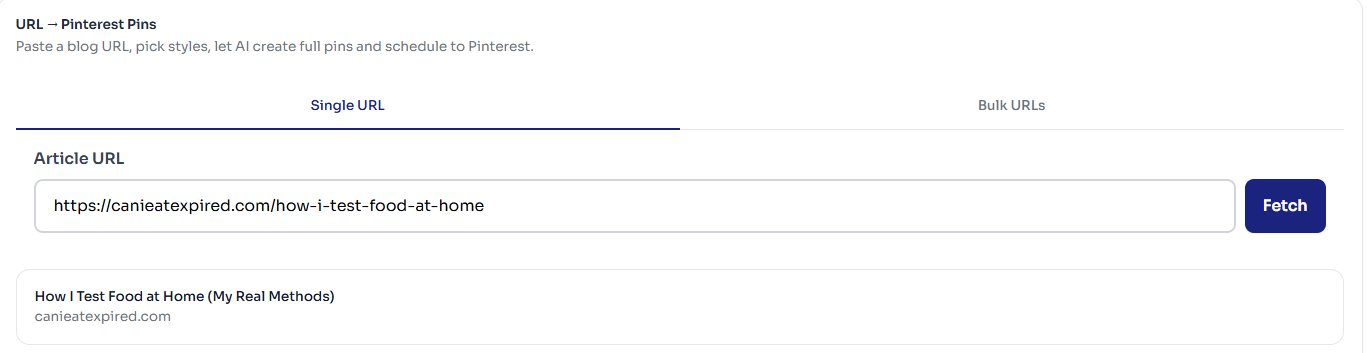
- Paste any blog URL (or up to 20)
Paste your article link in the input field. For bulk mode (Creator plan and up), add up to 20 URLs, one per line. Click Fetch to pull the article title and metadata.
- Choose your image source
Layouts are planned for you - URL2Pin reads the page and gives each pin a different angle. What you choose is where the picture comes from: AI-generated images, your own photos with text laid over them, or text only. You can also set a brand name and colours.
- Click Generate
Hit the Generate button. AI creates images, titles, descriptions, and hashtags in seconds.
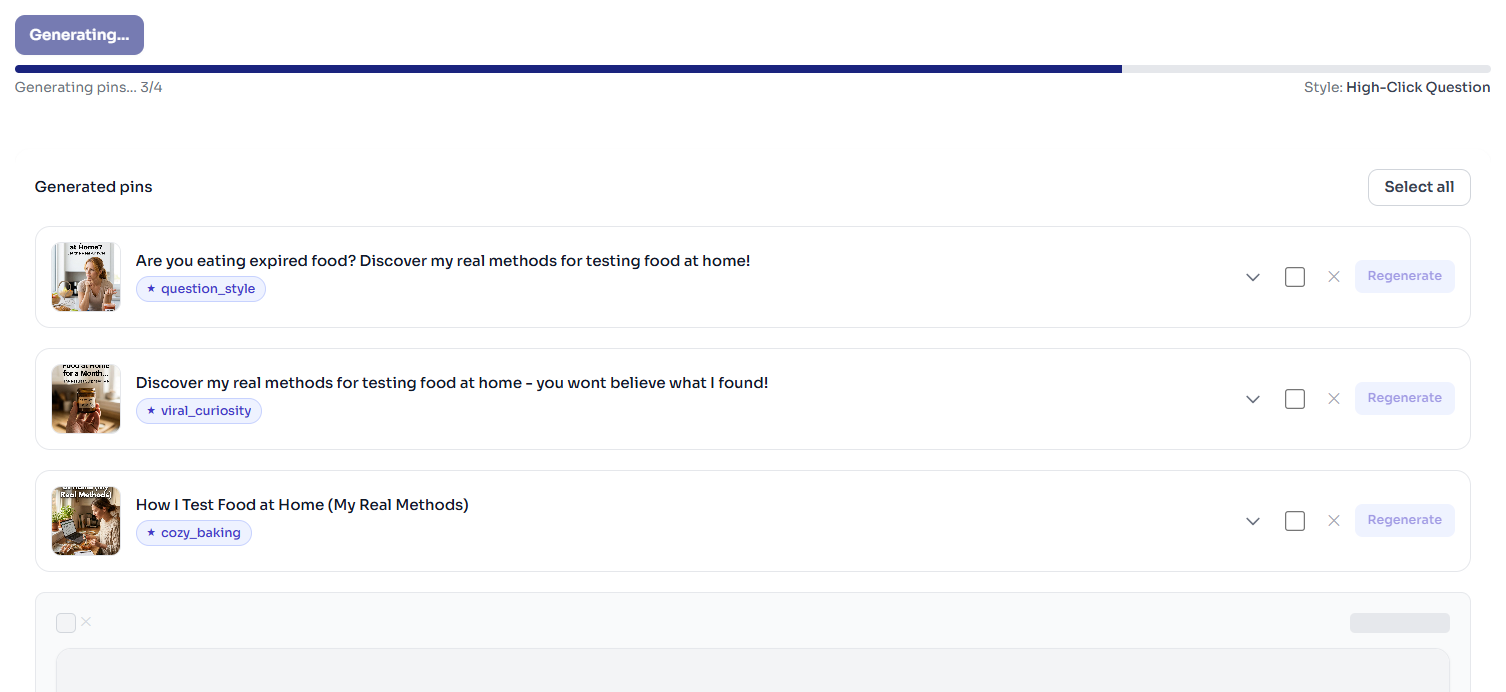
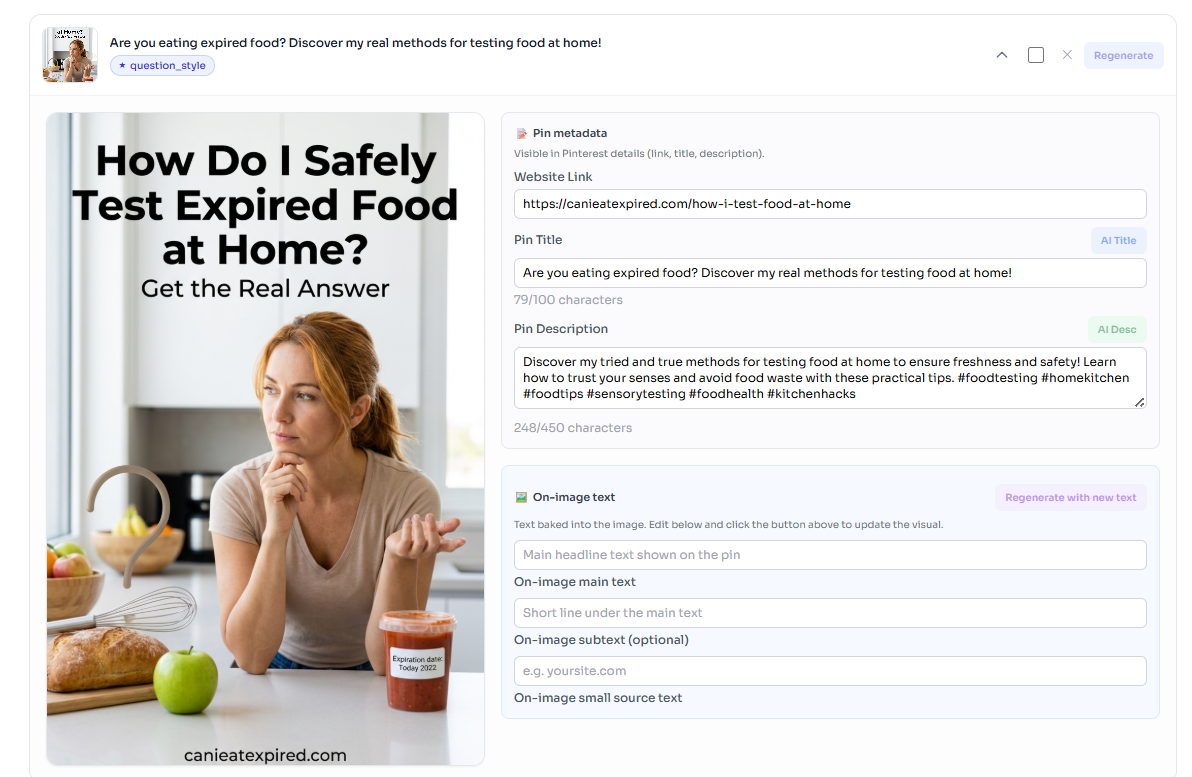
- Review the 10 pins
Scroll through your generated pins. Edit any text you want, change links, or regenerate individual pins.
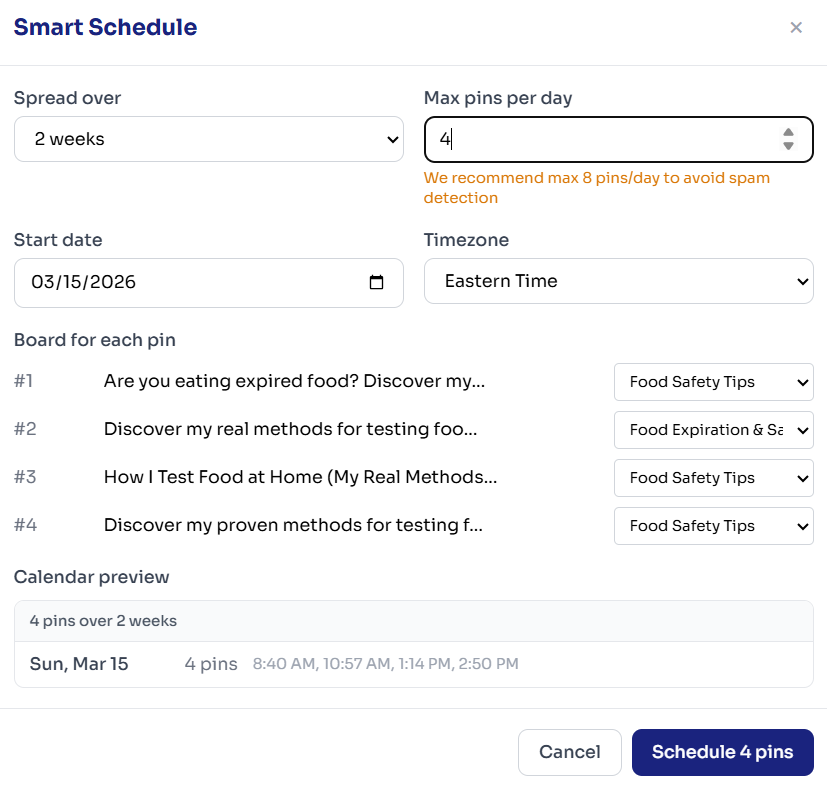
- Download or schedule
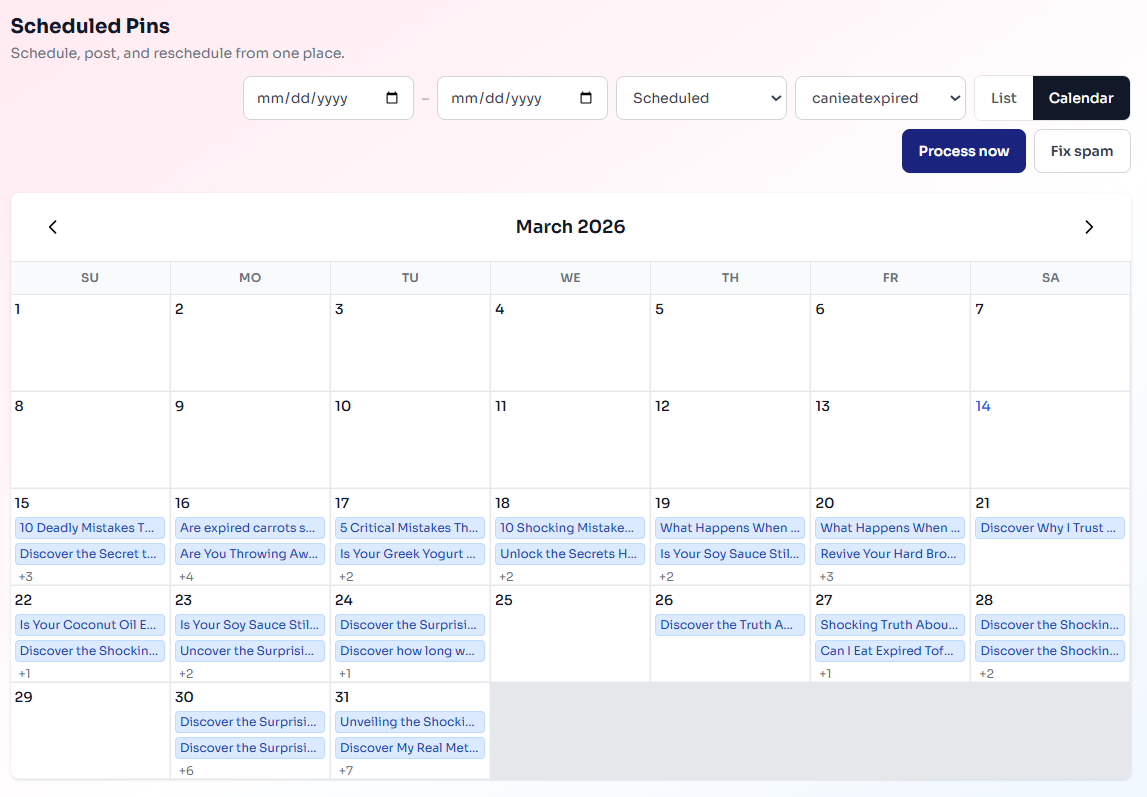
Download all pins as a ZIP, or schedule them directly to your Pinterest boards with one click.
Why the Quality is Better
URL2Pin uses Nano Banana 2 for image generation - a state-of-the-art AI model that produces photorealistic, on-brand visuals. Unlike generic stock photos, each pin is tailored to your article topic. Titles and descriptions are generated with SEO and engagement in mind, so you get pins designed to get saves and clicks. For a deeper dive on ranking those pins, see our Pinterest SEO guide for bloggers.
Conclusion
If you're still designing pins manually or wrestling with CSV tools, you're leaving hours on the table every week. URL2Pin turns any blog URL into 10 beautiful Pinterest pins in 60 seconds - no design skills required. Want to get traffic even without a big following? Check out our guide on getting free Pinterest traffic without followers.
FAQ
- How many Pinterest pins should I create per blog post?
With URL2Pin, creating 5–10 pins per post is realistic and recommended. Different styles and headlines let you test what actually gets saves and clicks without extra design work.
- Can I use the same pin on multiple Pinterest boards?
Yes - just make sure boards are relevant to the topic. URL2Pin lets you schedule the same pin to multiple boards over time so it doesn't look spammy.
- Does this work for any niche?
It works well for blogs in food, lifestyle, DIY, tutorials, and more. If you want to go deeper on bulk workflows, read our guide on creating 50 Pinterest pins from 5 blog posts.
Ready to save hours every week?
Try the URL2Pin app →Ready to try it?
