
Pinterest Pin Maker
Most pin makers hand you a blank template and let you do the work. This one starts from a link: it reads the page, then builds a vertical 2:3 pin around the real product — layout, artwork and wording included. Change the text or swap the layout whenever you want to.
Ready to create the pins?
Paste any product or blog URL and URL2Pin turns it into multiple ready-to-publish Pinterest pins — images, titles, descriptions, and hashtags included.
Pins generated in URL2Pin from one product URL
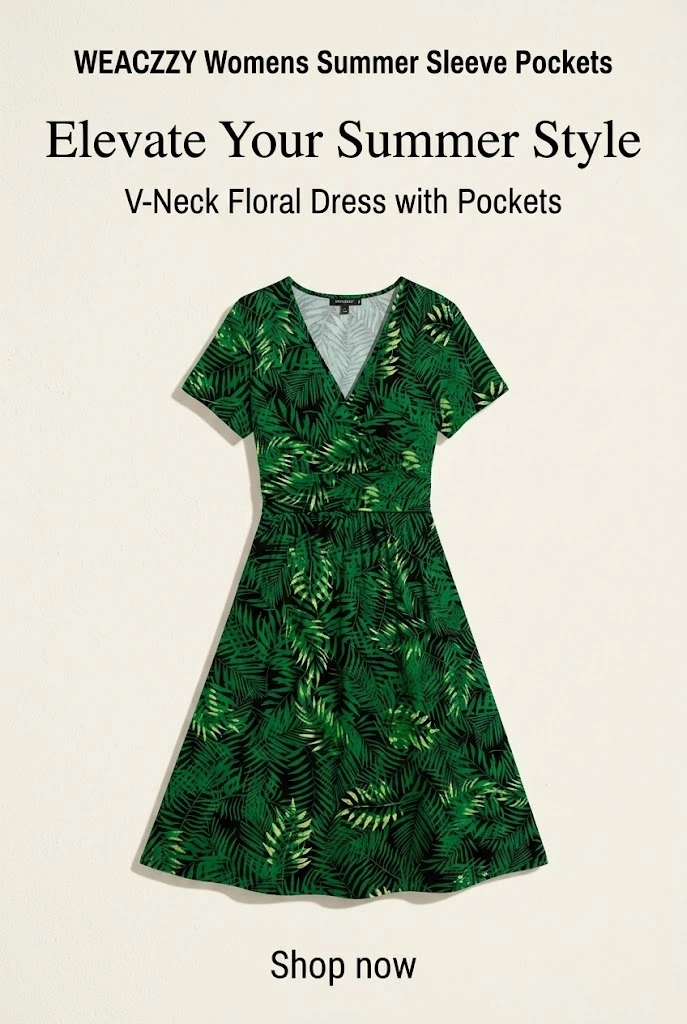

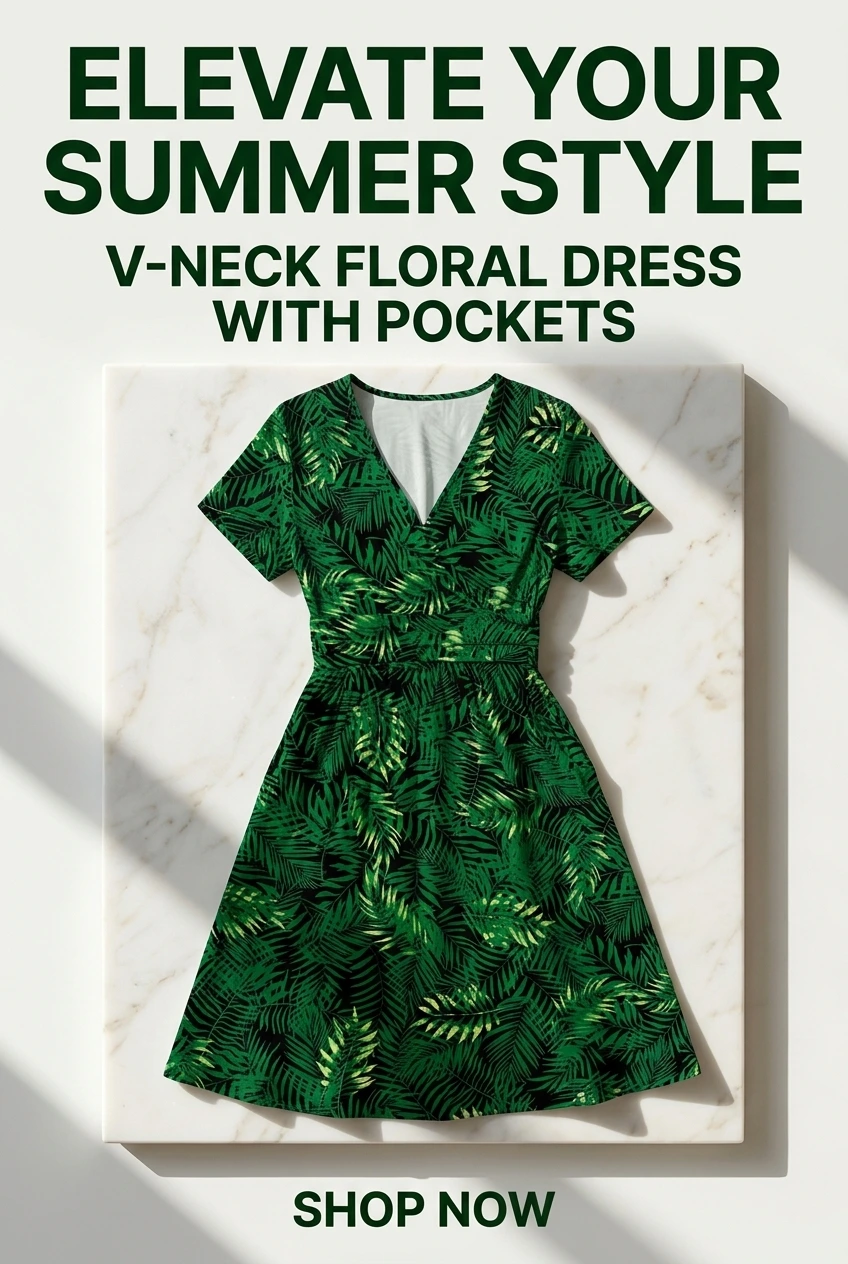

Starting from a link instead of a blank canvas
A pin maker usually means a canvas, a template list, and an afternoon. The slow part is never the resizing — it is sourcing a product photo, deciding what the pin should say, and writing a description that does not sound like every other pin in the feed.
Pasting a link removes all three. The page supplies the product and the facts; the layout, the wording and the image are produced together. You can then change any of it.
Size, layout, and your own photos
Every pin comes out vertical 2:3 — 1000x1500 — the ratio Pinterest recommends and the one that occupies the most feed space on a phone. Taller pins get cropped; square ones look smaller than everything around them. More on sizing: Pinterest pin size guide.
Layouts cover single-product heroes, before-and-after, question-led designs, and multi-product roundups. One finding worth knowing from this product’s own measurements: layouts that show the real product photo consistently earned more saves than layouts that generate a stylish stand-in object resembling it. If you have the actual product image, use a layout that shows it.
Using your own photography
Upload your own photos and the text is composited over them directly — nothing about the product is redrawn or reimagined. For handmade and print-on-demand sellers that is usually the right choice, because the item in the photo is the item being sold.
Editing what you get
- Rewrite the headline or subtext and rebuild the image while keeping the same artwork.
- Ask for a different angle on the same product to get a fresh design and fresh copy.
- Edit the title, description and alt text directly before anything is published.
- Set a footer line — your blog or shop name — that prints on every pin instead of a raw URL.
Nothing publishes until you say so. Pins can be downloaded as images and uploaded to Pinterest by hand if you would rather not connect an account.
FAQ
Can I choose how the pin looks?
Yes. There are layouts for single products, before-and-after, question-led designs and multi-product roundups, and you can regenerate any pin with your own wording.
What size are the pins?
Vertical 2:3 - 1000x1500 - which is the ratio Pinterest recommends and the one that takes up the most space in the feed.
Can I use my own photos?
Yes. Upload your own product photos and the text is composited over them, so nothing about the product is redrawn or invented.
Can I edit the text on the pin?
Yes. Every pin can be rebuilt with your own headline and subtext while keeping the same artwork.
Do I have to design anything myself?
No. Pasting a link is enough - the layout, image and words are all produced for you. Editing is there if you want it, not required.
Related free tools
Use these together, then turn your best URLs into pins with URL2Pin. Full strategy: Amazon affiliate Pinterest guide.
- Pinterest affiliate pin generator
Paste a tagged product link → get a pin that keeps your affiliate tag.
- Pinterest pin generator
Paste any URL → get a finished pin with the copy written for that page.
- AI affiliate product page generator
Paste a product or affiliate URL → get a shareable bridge page, then pin to it.
- Amazon affiliate link builder
Paste a product URL + your Associates tag — get a clean link for Pinterest.
- Chrome extension for Amazon affiliates
Tag an Amazon page and send it straight to a bridge page or pins — one click, no copy-paste.
- Affiliate disclosure generator
Paste-ready FTC + Amazon disclosures for pins, bios, and posts — plus a link compliance checker.
- Amazon pin worth checker
Score an Amazon product before you create Pinterest pins.
- Amazon affiliate income calculator
Set a monthly goal or slide traffic — see visits, clicks, sales, and pin volume needed.
- Pinterest pin size checker
Verify 2:3 ratio and export 1000×1500 px — runs in your browser.
- Pinterest pin metadata generator
AI titles, descriptions, and hashtags for pins you already designed.
- Pinterest keyword tool
Long-tail and question keywords for pin titles and hooks.
- Pinterest board generator
Board names, descriptions, and keyword ideas for your niche.
- Pinterest bio generator
Five bio options plus CTA line and keyword ideas.
- Pinterest font generator
38 copy-and-paste Pinterest font styles for bios, board names, and pin titles.
- Pinterest username generator
Handle ideas for your niche that fit Pinterest’s username rules.
- Pinterest hashtag generator
Suggested hashtags plus an avoid list for spammy tags.
- Etsy fee & profit calculator
Listing, transaction, processing & Offsite Ads fees — see real profit per sale.
- Etsy tag & title generator
All 13 Etsy tags plus a front-loaded, search-friendly title.
- Etsy shop name generator
Shop names that pass Etsy’s 4–20 character rules on the first try.
- Pinterest UTM link builder
Tag any URL, Etsy, affiliate, or blog, so analytics shows which pin converted.
Next step: generate pins
Paste a blog or Amazon product URL into URL2Pin — get multiple unique pin images, titles, descriptions, and hashtags in one batch.
Generate pins in URL2Pin →